Hey folks,
Bitrise now automatically creates optimised CI workflows for new KMP projects that need minimal manual configuration.
KMP projects previously got a single generic run_tests workflow that couldn’t build platform-specific artefacts or leverage the benefits of caching. You had to manually configure separate workflows and add cache steps to get actual iOS .ipa and Android .apk builds working.
What’s new
- Upgraded run_tests workflow
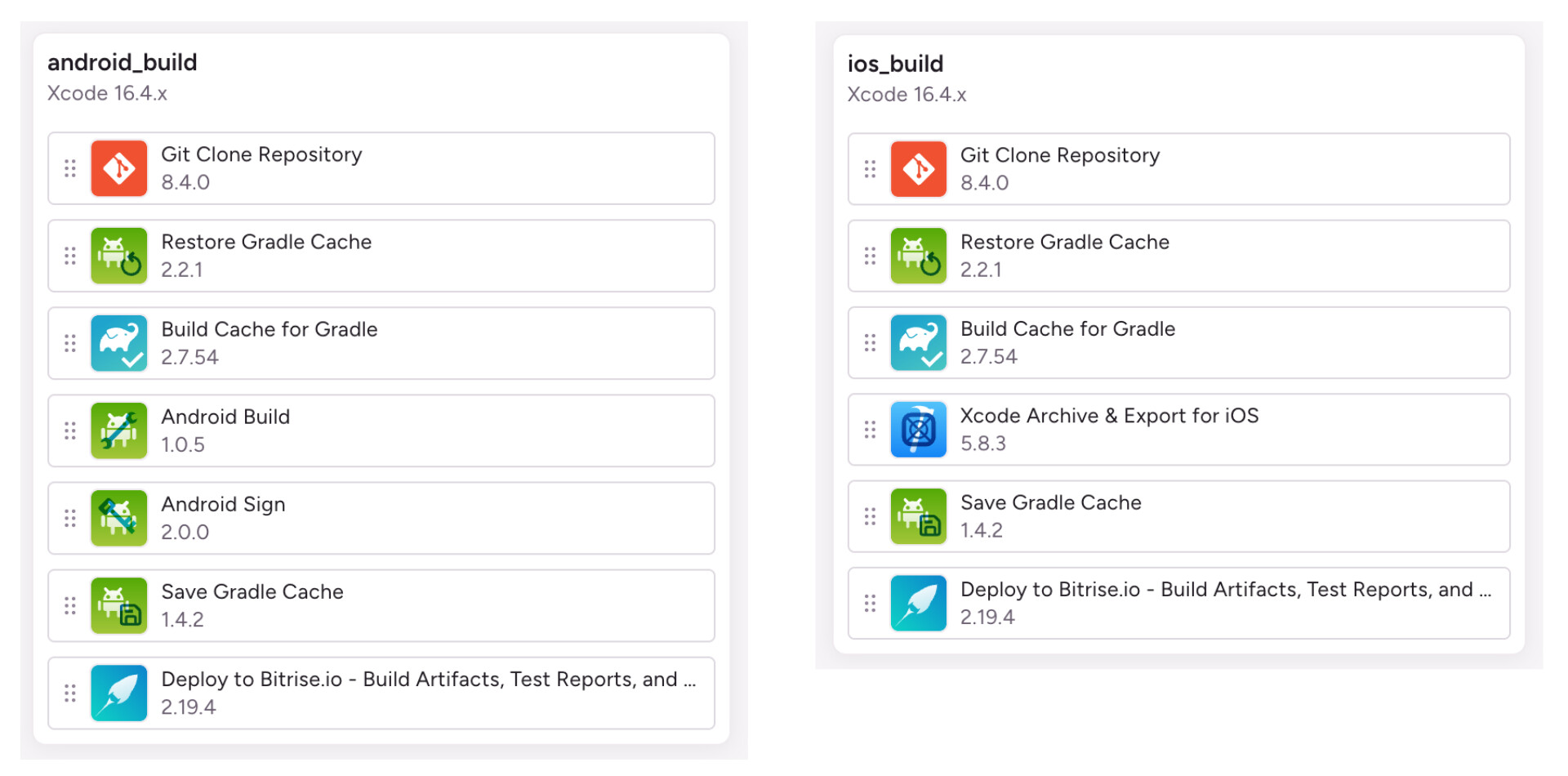
- 2 new workflows: android_build and ios_build
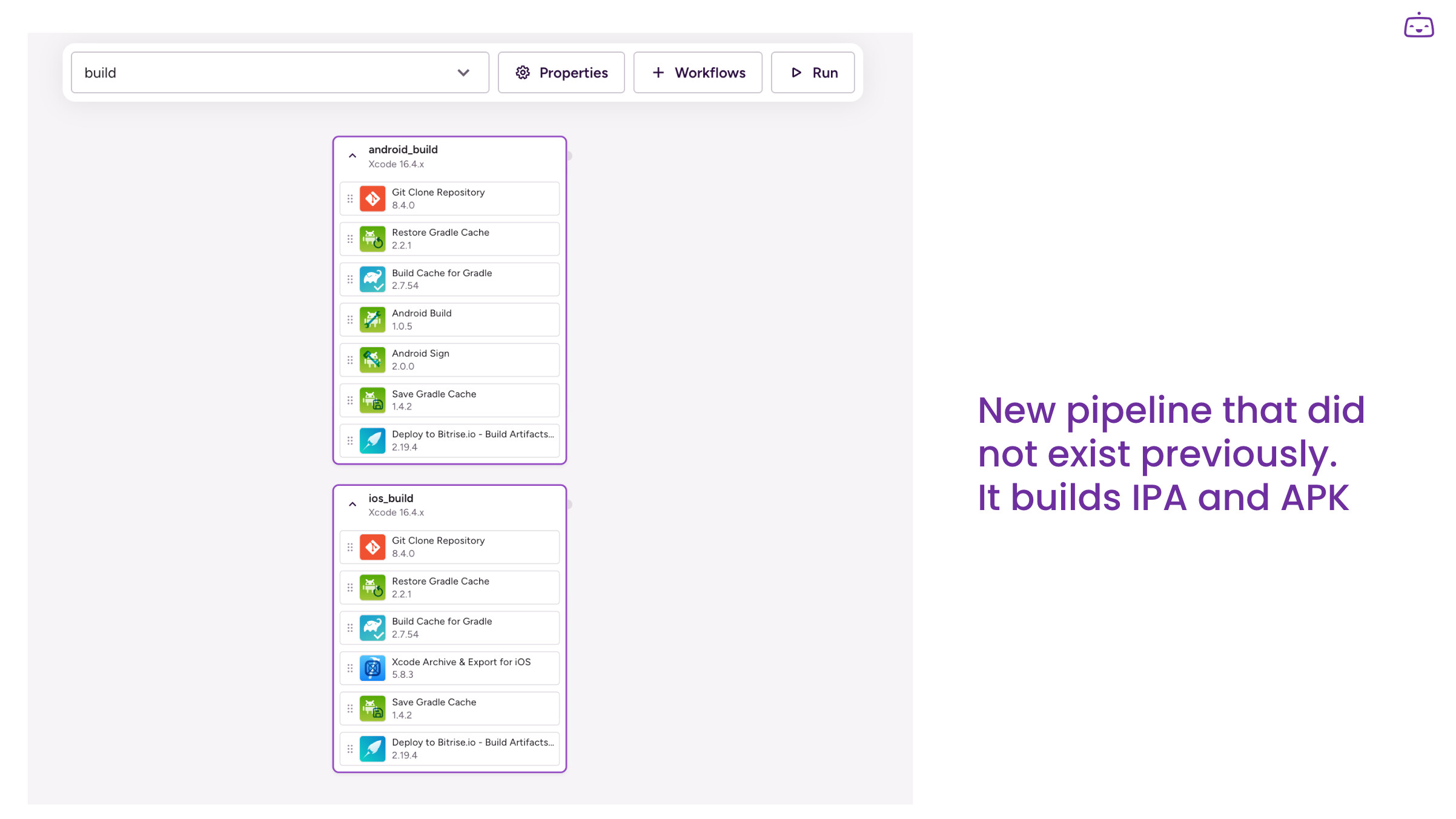
- 1 new pipeline: build
1. Upgraded run_tests workflow.
The run_tests workflow has been upgraded with caching steps that weren’t previously present.

2. New workflows added:
android_build- Uses Android Build step + Android Sign stepios_build- Uses Xcode Archive & Export for iOS step
3. New pipeline added
A new pipeline that can run the two workflows in parallel
What is the benefit
This automatic setup works out of the box for standard KMP projects. You get:
- Faster builds through Gradle caching (dependency caching and build caching (if you activate this alongside)
- Parallel iOS/Android builds
- Ready-to-download .ipa and .apk artifacts
Notes:
- Code signing needs to be configured both for iOS and Android.
- The ios_build workflow is preconfigured for automatic provisioning: iOS code signing with automatic provisioning
- For the android_build workflow, the keystore files need to be uploaded: Uploading Android keystore files to Bitrise
- The Build cache trial needs activation for you to see any speed gains in your builds. If you aren’t yet ready to activate it, that’s alright. Having the step in your workflow will not cause any issues - it won’t lead to build failures. You will see a warning in your build log about it. When you are ready, you can try it out for free for 30 days.